
News and updates
Check out news from Piwigo : events, updates, news features…

Piwigo 16 is coming to piwigo.com: discover what’s new!
Graphic redesigns and improvements, two-factor authentication, improved filter management in searches… Discover all the new features coming with version 16 of Piwigo!
Continue Reading Piwigo 16 is coming to piwigo.com: discover what’s new!

Piwigo AI: Artificial Intelligence is coming to Piwigo
We’re currently working on a major project to integrate AI into Piwigo. What’s it for? How will it work? We tell you all about it.
Continue Reading Piwigo AI: Artificial Intelligence is coming to Piwigo
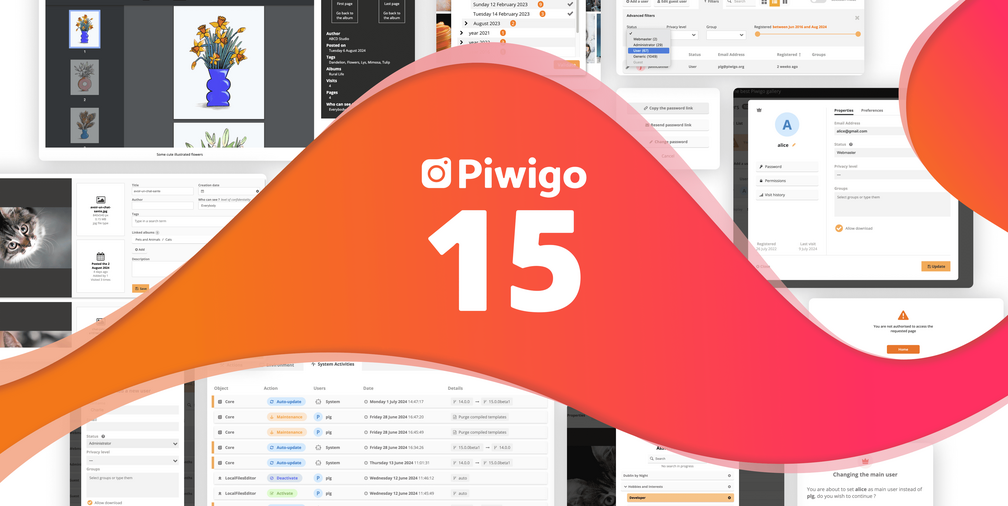
Piwigo 15 release: what’s new?
You won’t have missed it: Piwigo version 15 is now deployed on all piwigo.com accounts! Improved user management, system activities, overhauled batch management: this article reviews the main new features of this version.
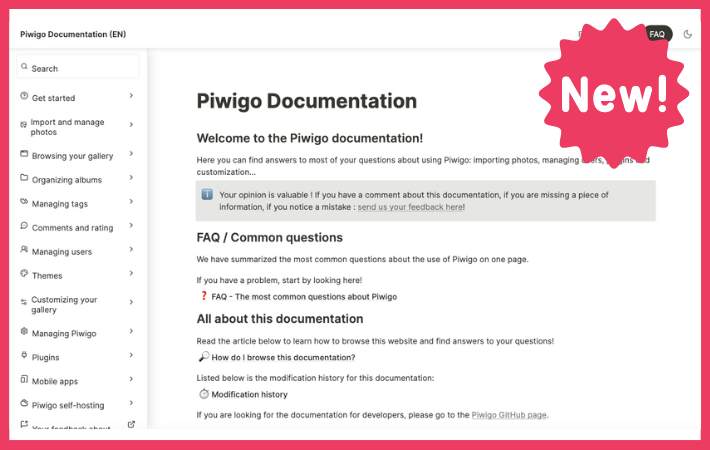
The new Piwigo documentation is now available!
We’ve just released a brand new Piwigo documentation in English, the most complete as possible! In this article, we’ll explain how to access the doc, how to use it and how to give us your feedback.
Continue Reading The new Piwigo documentation is now available!

Smart Albums: Automate the classification of your photos in Piwigo
Discover Smart Albums, a plugin that lets you create albums that are automatically populated according to predefined rules.
Continue Reading Smart Albums: Automate the classification of your photos in Piwigo
Get a sneak preview of Piwigo 14
Piwigo version 14 will be released soon and needs beta testers. The biggest news in this version is a complete overhaul of the gallery search engine. You can preview this feature and help us to test it!
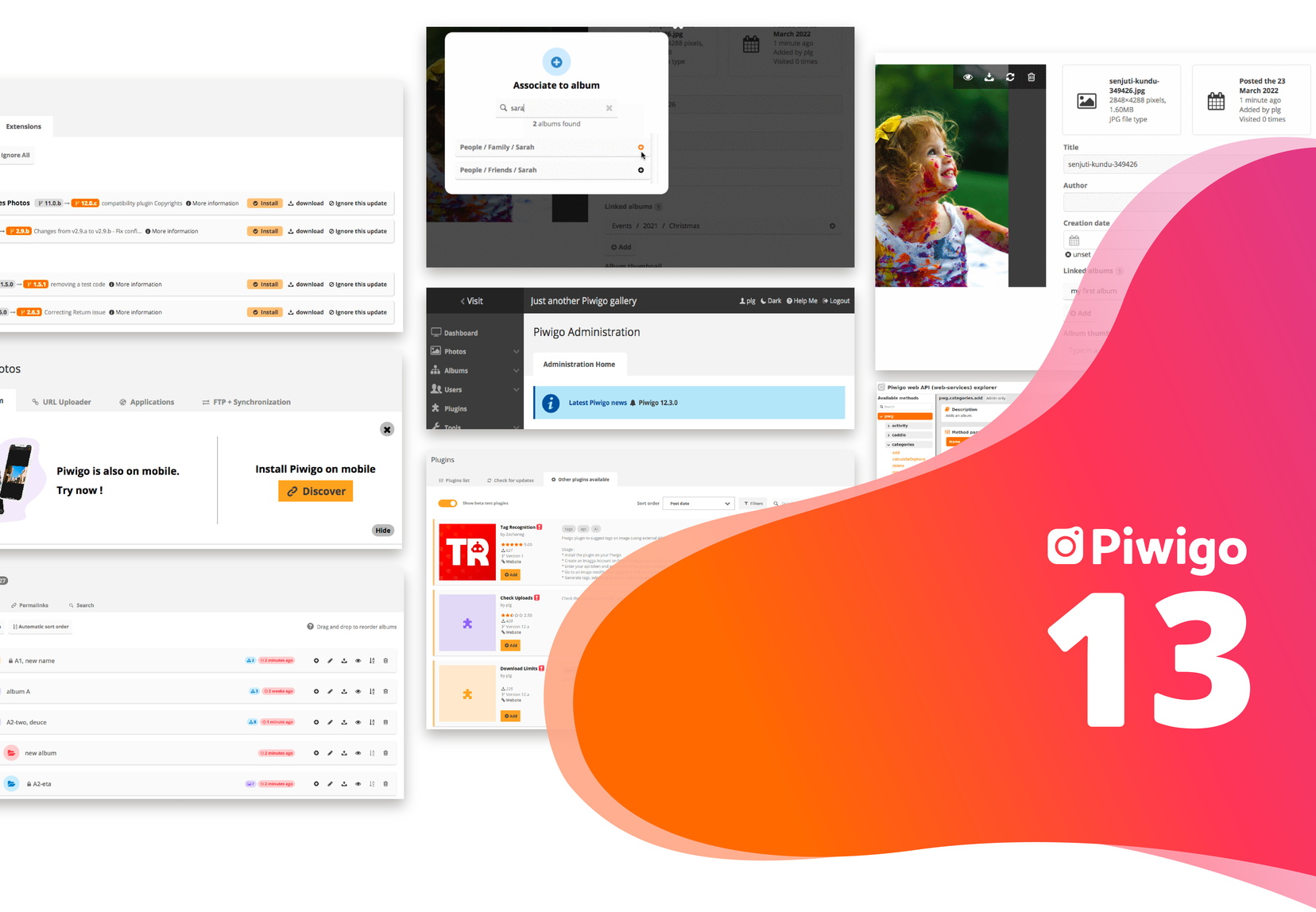
What’s new in Piwigo 13?
All customers have now switched to Piwigo 13, the latest version of Piwigo! Let’s review what’s new in this version, which focuses on user experience.
Discover Piwigo 13 in a video, and send your feedback!
Piwigo 13 is out in beta: discover all the new features in video, and give us your opinion!
Continue Reading Discover Piwigo 13 in a video, and send your feedback!
Expiry Date : a new plugin to manage expiration dates on photos
How to manage the expiration date of image usage rights and photo consents on your photo library? With the Expiry Date plugin for Piwigo, it’s easy. Today, let’s discover this new plugin designed in collaboration with one of our Enterprise customers.
Continue Reading Expiry Date : a new plugin to manage expiration dates on photos
Piwigo 12 is coming and needs some beta testers!
Piwigo version 12 will be released this summer and needs beta testers. Discover its new features!
Continue Reading Piwigo 12 is coming and needs some beta testers!
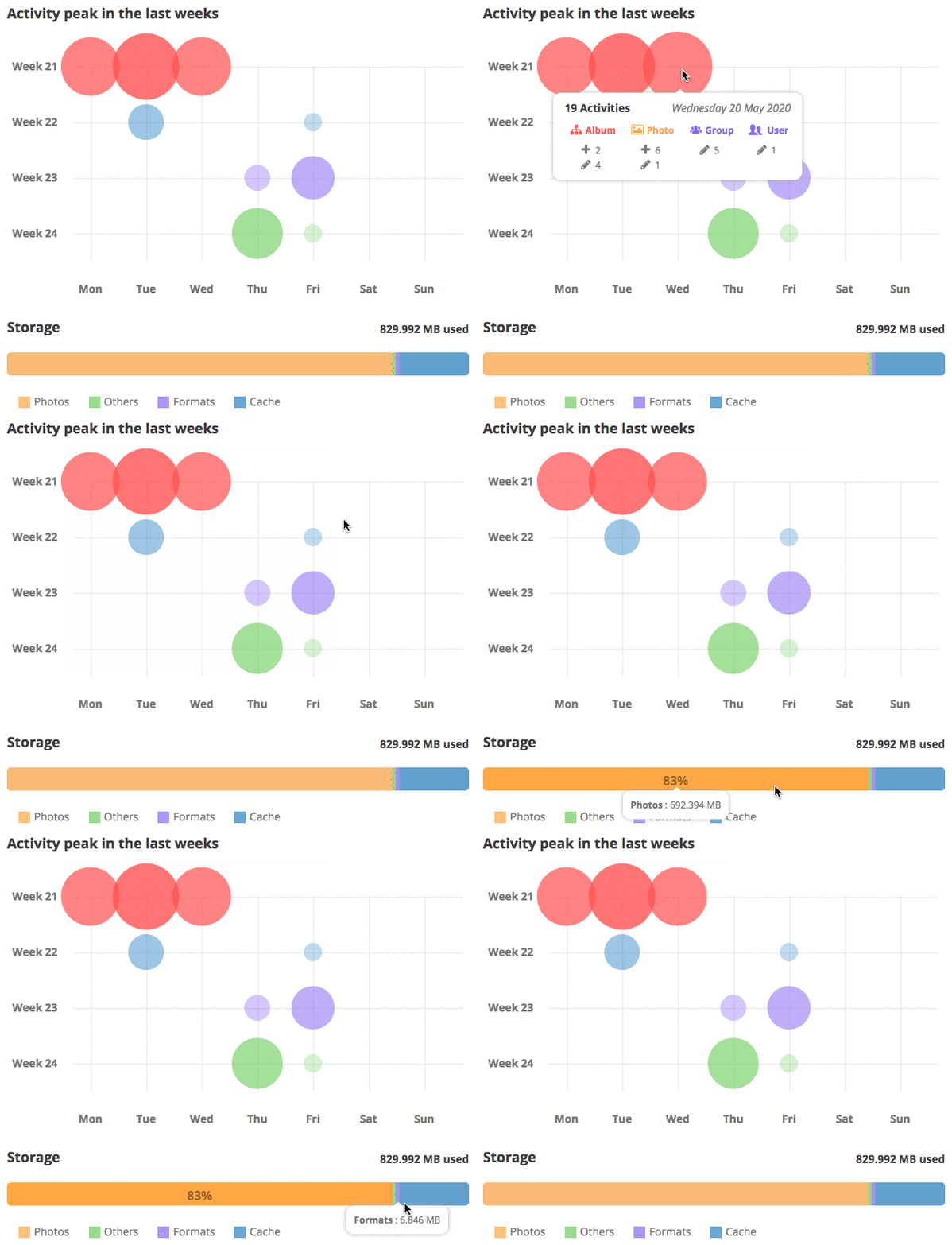
Managing your Piwigo: what’s new in Piwigo 11
Here comes the last episode of our series of articles dedicated to Piwigo 11. It’s time to review the new features dedicated to the management and administration of your photo library itself.
Continue Reading Managing your Piwigo: what’s new in Piwigo 11
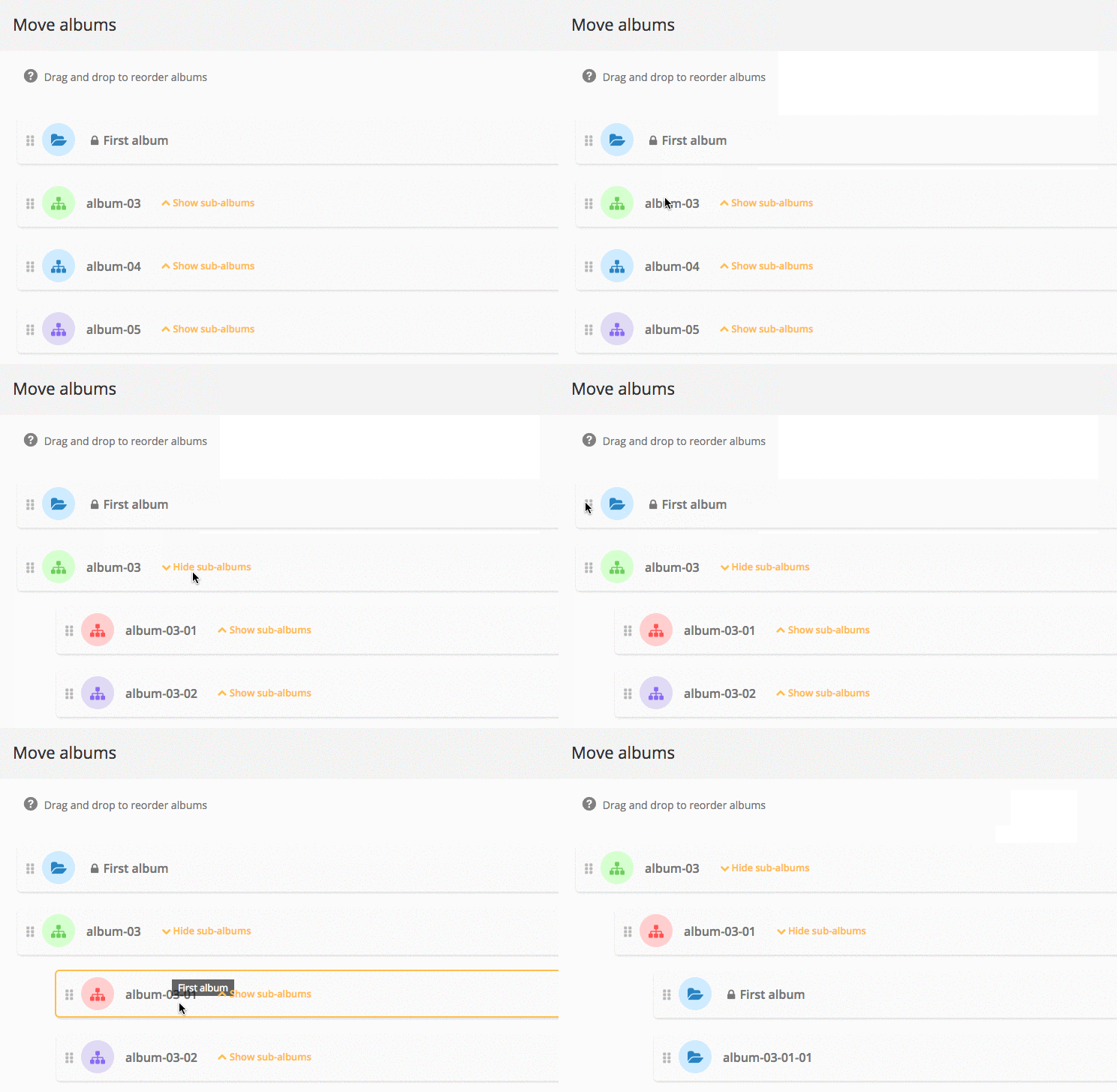
Album management: what’s new in Piwigo 11
Piwigo v11 comes with many new features for managing and organizing your albums: we explain everything in this blog post.
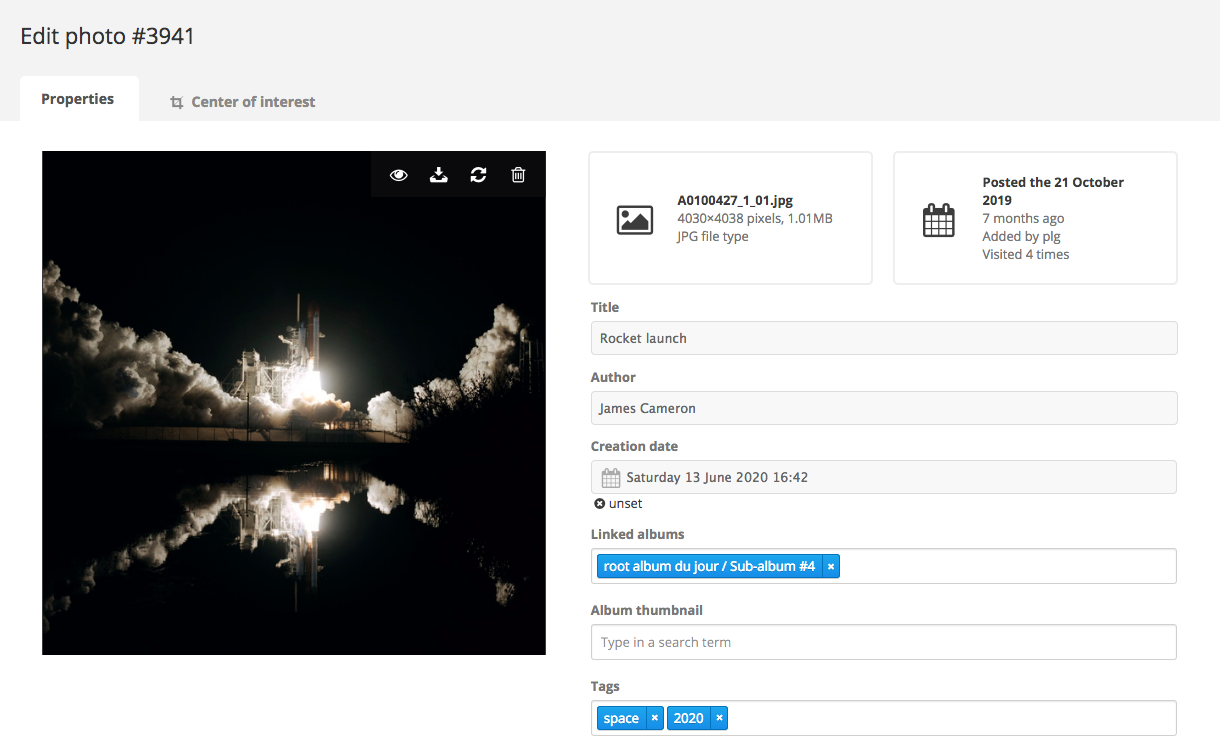
Photo Management : what’s new in Piwigo 11
Discover in this blog post the new features of Piwigo 11 photo management: photo editor, tag manager, batch manager…
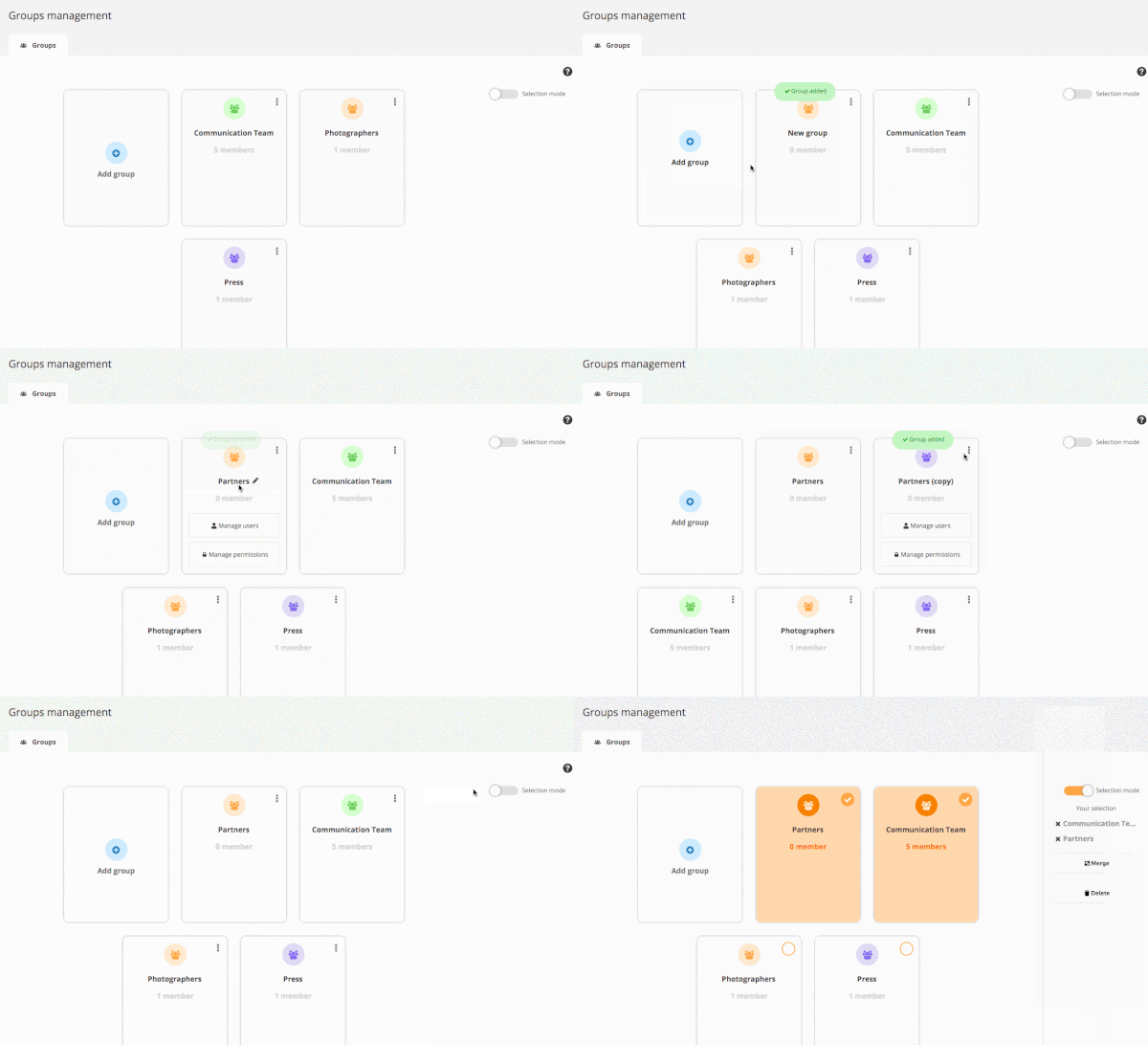
User Management : what’s new in Piwigo 11
Piwigo 11 is deployed for most of our customers! Today, we focus on the new features brought on user management.

Fire at OVH datacenters: no impact on your Piwigo account
A fire broke out yesterday at the Strasbourg site of the French hosting company OVH. No Piwigo customer data is known to have been lost.
Continue Reading Fire at OVH datacenters: no impact on your Piwigo account
Piwigo v11: get ready for some changes!
A new version of Piwigo will be coming soon. What is this v11? What to expect? We’ll explain everything to you!
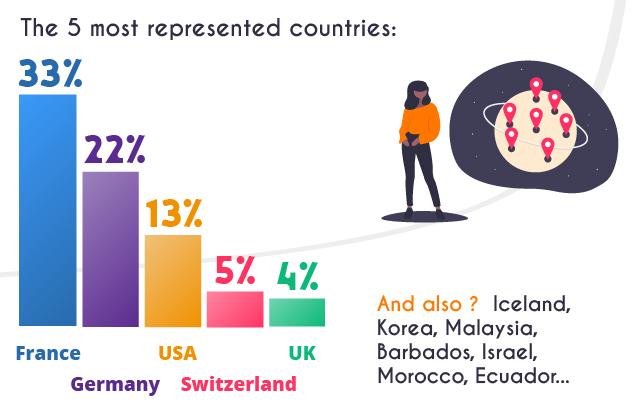
Results of the Piwigo survey
In January, we asked Piwigo users to answer a survey. The results are available, at last !
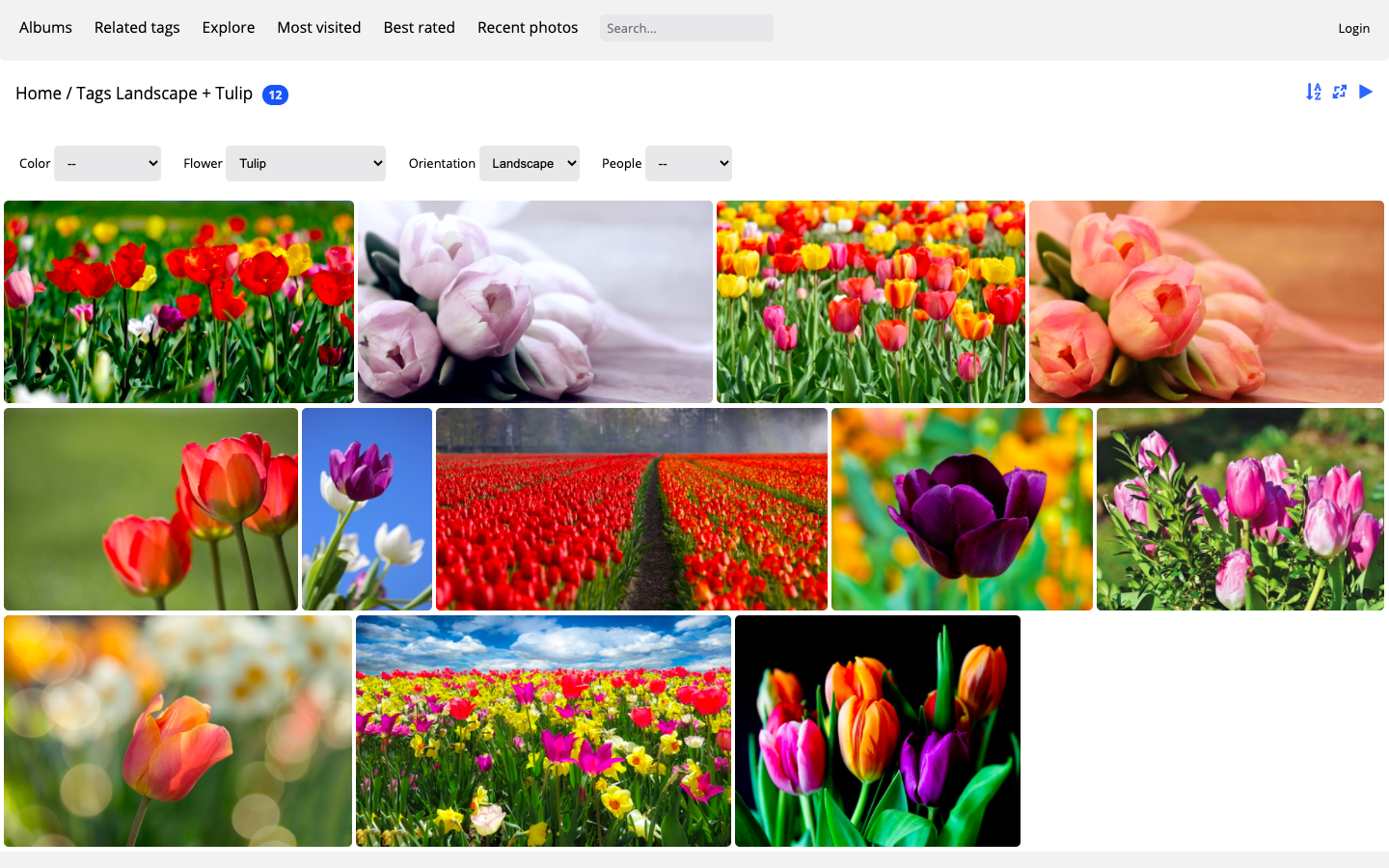
Add a filter bar to your photo gallery
Do you want to offer visitors to your gallery an ergonomic interface to browse through your photos? With the Tag Groups plugin, add a multi-criteria search engine to your Piwigo photo library.

Covid19: extended trial period for companies
Exceptional circumstances led us to double the Piwigo trial period for companies. Here’s why.
Continue Reading Covid19: extended trial period for companies
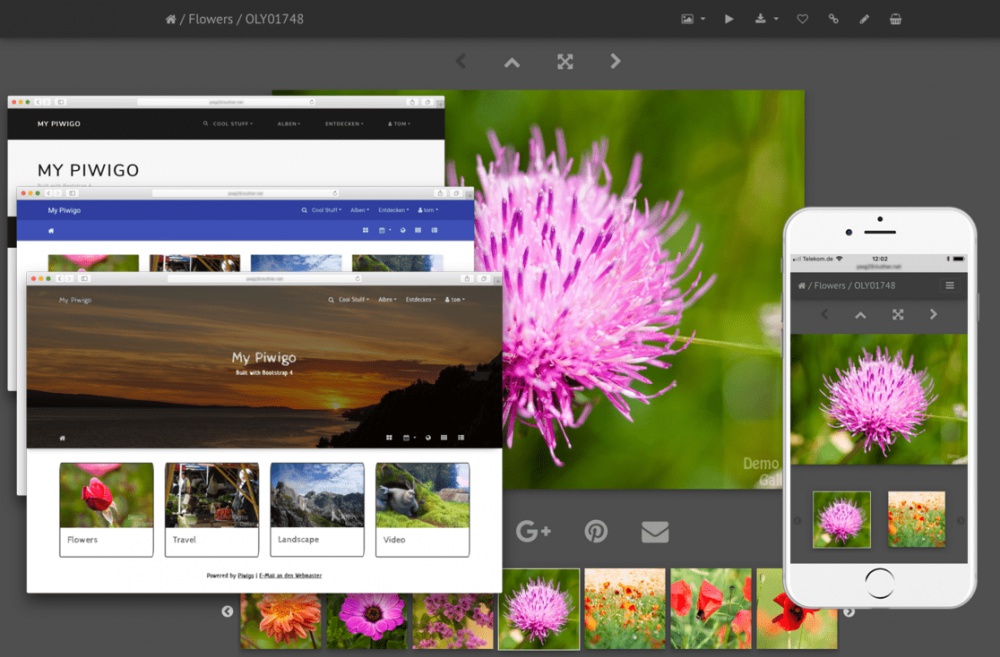
Bootstrap Darkroom: a new theme available on Piwigo.com
Since January 2020, the Bootstrap Darkroom theme is available on Piwigo.com. We will tell you in this blog post everything there is to know about this modern, functional and mobile friendly theme for your Piwigo gallery.
Continue Reading Bootstrap Darkroom: a new theme available on Piwigo.com

Piwigo 2020 survey
We need you ! Please take a few minutes to answer our survey.
Piwigo 2.10: what’s up with the latest update?
Piwigo 2.10 has been released and Piwigo.com accounts have been updated. Discover the new features and improvements.
Continue Reading Piwigo 2.10: what’s up with the latest update?

New Piwigo mobile application for Android
The new Piwigo mobile app for Android is available! This application was eagerly awaited by Piwigo users.
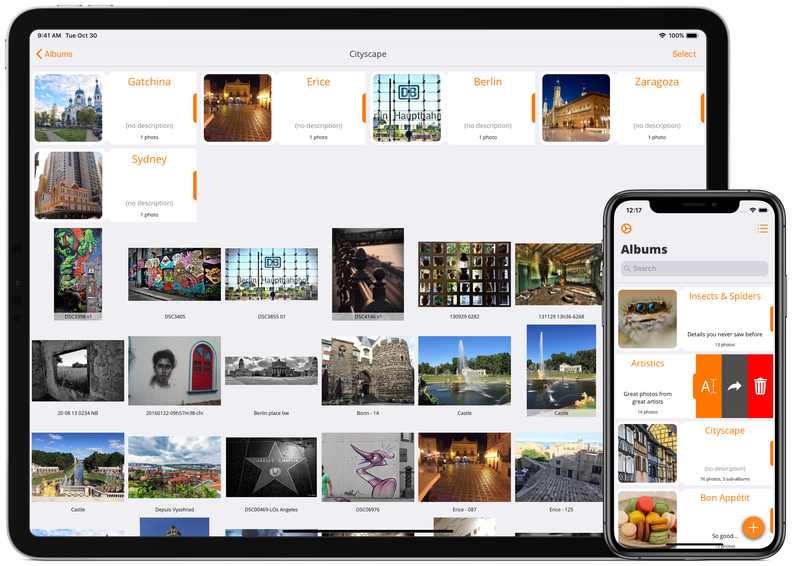
News from Piwigo mobile apps for Android and iOS
It has been a while since we have given news about our Piwigo mobile apps : new features, upcoming projects for Android and iOS… Let’s take a tour in this blog post!
Continue Reading News from Piwigo mobile apps for Android and iOS
Beta-testers wanted for Piwigo 2.10
The Piwigo team is very happy to announce that the release date of the new version 2.10 is coming soon. Calling for beta testers!
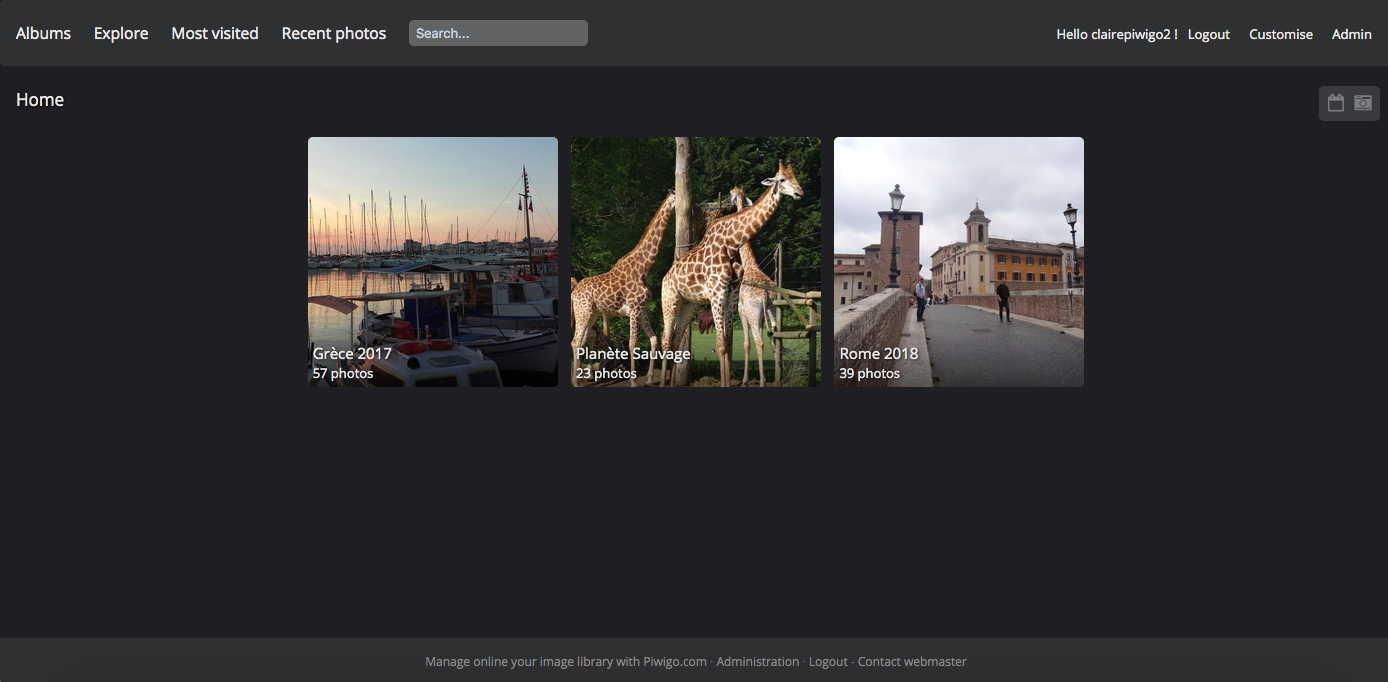
New Modus theme on piwigo.com
Some changes have been implemented on your Piwigo in June. The new default theme is now Modus, and it has been redesigned.

A new look for Piwigo.com
If you have visited the site piwigo.com in the past few weeks, you will have noticed: we have completely redone the style and contents of our pages (and it is not finished yet!). Here are a few explications.
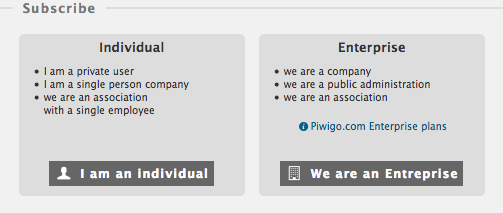
New subscription form
Piwigo.com subscription form gets a full redesign, with 3 goals in mind: improve VAT management, give choice between Individual and Enterprise plans, make it possible to subscribe for several years.

Server failures in october and november 2017
The huge downtime at OVH that occurred on November 9th 2017 was quite like an earthquake for the European web. Of course Piwigo.com was impacted. Let’s describe and explain what happened.
Continue Reading Server failures in october and november 2017
All Piwigo.com accounts updated to version 2.9
17 days after Piwigo 2.9.0 was released and 4 days after we started to update Piwigo.com, all accounts are now up-to-date.
Continue Reading All Piwigo.com accounts updated to version 2.9

Maintenance report of April 28th 2017
Piwigo.com clients have already received this message. Many users told us they were happy to receive such details about our technical operations so but let’s make it more “public” with a blog post!

Piwigo.com Enterprise plans, now official!
In the shadow of the standard plan for several years and yet already adopted by more than 50 organizations, it is time to officially introduce the Piwigo.com Enterprise plans.

HTTPS is live on Piwigo.com
Some of you were waiting for it, others don’t know yet what it’s all about! Piwigo.com switches to https.

Referral program, reloaded
We have decided to reward our existing customer base for introducing new customers in the shape of their friends and colleagues.
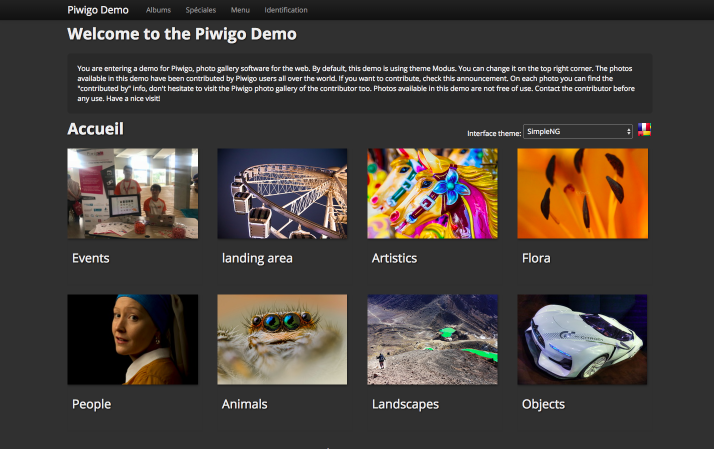
Contribute to Demo
We’re starting a new project: an “always fresh” Piwigo demo, with photos coming from Piwigo users, all over the world.
Piwigo 2.8 on all accounts
We’re proud to tell you that 100% Piwigo.com accounts have been updated to Piwigo version 2.8 less than 72 hours after it was officially released. It sets a new record!
Piwigo 2.8 is on track and needs your beta-testing!
We need your help to test Piwigo 2.8 Release Candidates. If you want to participate, we will gladly install a test Piwigo 2.8 for you, just tell us!
Continue Reading Piwigo 2.8 is on track and needs your beta-testing!

Moving to LA
… like “Loire Atlantique”, in the west of France! Pigolabs, the company behind Piwigo.com, has officially moved to Nantes. We are proud to join such a dynamic city, particularly active in the digital domain but also in open source software.
Planned system upgrade, read-only mode (completed)
On Friday January 9th 2012, 4AM UTC, we plan an important system upgrade on a few Piwigo.com servers. No downtime to expect, but during approximately 1h your Piwigo will switch to read-only mode: you won’t be able to upload photos or open the administration panel. Los Angeles, USA = 8PM on January 8th 2015 New-York-City, USA…
Continue Reading Planned system upgrade, read-only mode (completed)
Full screen slideshow
Until recently, full screen slideshow in Piwigo implied the use of Flash with plugin Cooliris. The new plugin Fotorama brings full screen without Flash and with a much better image quality. Plugin Fotorama simply replaces the default slideshow (no specific icon) and offers many options, such as the transition (crossfade, dissolve…) or the navigation style…
Piwigo 2.7 on Piwigo.com
As of November 24th 2014, 97.07% of Piwigo.com accounts have been upgraded to Piwigo 2.7 Piwigo 2.7 has been released 5 days ago. You can read 2.7 Release Notes to have full details about new features and improvements. Many of you already have already asked us how they can get it on their Piwigo. On Piwigo.com,…
Upcoming Piwigo 2.7, we want you for beta-testing!
Piwigo 2.7 “release candidate 1” was released yesterday with many new features and improvements. Here is a small sample: new upload form, with drag & drop and no more Flash sort albums by date improved search interactive discovering of Piwigo features with plugin “Take a Tour” All changes are described on Piwigo.org annoucements: 2.7.0beta1, 2.7.0beta2…
Continue Reading Upcoming Piwigo 2.7, we want you for beta-testing!
New theme Modus
Theme Modus, created by rvelices, will bring a modern look to your Piwigo: big square thumbnails for your albums, horizontal menu bar with drop down menus, automatic size selection, modern thumbnail display (à la GThumb+). Modus is ready for high density pixel screens (retina-like) with specific thumbnails and SVG icons. Modus is a responsive theme.…
Referral program gets stronger for summer 2014
This blog post includes two announcements related to Piwigo.com referral program. The first one is an increased bonus: for each referee, the referrer gets a 6-month bonus (instead of 1). A nice €19.5 discount, with no limit on the number of referees! The second announcement is the “invite” feature. In your Piwigo, on page [Administration…
Continue Reading Referral program gets stronger for summer 2014
Piwigo.com website new design
Piwigo.com website gets a new design. Main changes are on the home page: big background photo, more space, less text. We have also created a drop down menu and a bigger footer. We hope you like it! Design by Thomas Malandain and Florian Pasqué. The big background photo is taken randomly from a list of…
Piwigo 2.6 on Piwigo.com
As of March 12th 2014, all Piwigo.com accounts have been upgraded to Piwigo 2.6. Some of you already know that Piwigo 2.6 has been released a few days ago (and even a bug fixing version 2.6.1). Once you have seen the 2.6 Release Notes, you naturally ask how to get this new version on your…
Future Piwigo 2.6
Piwigo 2.6 is currently under tests as “release candidate”. It brings new features and many technical improvements. Just a few changes in Piwigo 2.6: many icons in the administration (“retina” compatible) geolocation of your visitors new group manager new email templates new pages in mobile theme new user manager You can find all new features…
Offer Piwigo.com for Christmas!
Starting today, offer a Piwigo.com account! We’ve made it super simple: Choose the subscription plan you want to offer Confirm the payment Give your gift code! This gift code can be used either for a new account or for a renewal. You know we’re nice at Piwigo.com: if you take 2 years it is 10%…
New live examples
Piwigo.com live examples page had not been updated for a long time! Here it comes refreshed, with 18 new live examples. They all come from Piwigo.org Showcase. There are currently more than 500 photo galleries in the Showcase, and approximately 150 are hosted on Piwigo.com.
Piwigo.com Celebrates Summer
Summer has arrived! From June 21st to June 28th, the referrer will get a 3-month bonus (for each referral). As a reminder, the referral program is explained on blog post Referral Program.
Plugin Automatic Size replaces Autosize
As described on previous post, plugin Autosize had too many problems. Anyway the feature of automatic photo size is an excellent one. Plugin Automatic Size is taking over, with a much simpler code (simpler code = less bug). Plugin Automatic Size is now available for Piwigo 2.4 and 2.5 on Piwigo.com. Considering many users are…
Plugin Automatic Size needs beta-testers
Many users have activated plugin Autosize (approximately 10% of you, which means one of the favorite plugins). Unfortunately this plugin is incompatible with several other plugins and themes. Autosize is not available on Piwigo.com for Piwigo 2.5. In order to replace it, we need the help of beta-testers for the new plugin Automatic Size. See…
New plugin Birthdate
Plugin Birthdate gives people age on each photo. Since Piwigo knows the date of the photo and if you tag the photo with people name, Piwigo only needs to know the people birthdate to display their age on photo. Plugin Birthdate let you define the birthdate of any tag. Depending on the age, Piwigo will display…
Plugin Copyrights + Perso Footer replace LMT
Plugin LMT, License Manager Tool, is not compatible with Piwigo 2.5 yet. That’s the bad news. The good news is that you can replace it with plugin Copyrights and plugin Perso Footer. Plugin Copyrights lets you define licenses and apply them on photos. This plugin is much simpler than LMT because it relies on standard…
Continue Reading Plugin Copyrights + Perso Footer replace LMT
Social Buttons replaces Google+1 and TweetThis
Plugins Google+1 and TweetThis are no longer supported and are replaced by the new plugin Social Buttons. The idea is to have all your social media buttons merged into a single plugin. Social Buttons currently manages 5 social networks: Google+, Twitter, Facebook, Pinterest and Tumblr. Plugins Google+1 and TweetThis are not available on Piwigo 2.5.…
Continue Reading Social Buttons replaces Google+1 and TweetThis
Piwigo 2.5 on Piwigo.com
As usual each time a major new version of Piwigo is released (version 2.5 this time) many Piwigo.com users ask how to upgrade. It’s nice to see how motivated you are! But you will have to be patient. As said on blog post Piwigo 2.4 and upgrade on Piwigo.com : On Piwigo.com, you don’t manage…
Theme Simple, version 4
Theme Simple has been updated to version 4. It applies to derivated themes Simple Grey, Simple Black, Simple White and Simple Sunset. The main changes are on the page of the photo as you can see on the 2 following screenshots, comparing version 3 and version 4. As you can see, changes are not big,…
Special Gift for Valentine’s Day
For upcoming Valentine’s Day (next Thursday) February 14, 2013, Piwigo.com multiplies referral bonus by 3: for all subscriptions validated this day, referrer and referred user get a 3 months bonus instead of 1. As a reminder, the referral programm is explained on blog post Referral Program.
Progress on Piwigo 2.4 updates
Piwigo 2.4 has been released 2 months ago. Approximately 70% of Piwigo.com galleries are now running on this new version, including all new installations. They can take advantage of new features and new plugins such as GuestBook, Header Manager or Batch Downloader (I will write specific post for each of them). This week, more galleries…
Read-only mode is over
The read-only mode is now over. It took much more time than expected (17 hours approximately, including a whole night if you’re in America or Europe). We’re really sorry about that and this is why we have added 3 days on all subscriptions and trial periods. Next time, if the hardware takes too long to…
Planned read-only mode
In 1 hour, Piwigo.com will activate its “read-only” mode: you won’t be able to use your administration panel and upload photos, but the visitors can still browse the gallery. During the few hours of the “read-only” period, we will redirect visitors to the spare server while hardware operations are performed. Then we will go back…
System upgrade, expected downtime
On Wednesday July 25th 2012, 4AM UTC, important system upgrade on Piwigo.com servers. The downtime should last 1 hour, maybe less. Don’t know your timezone compared to UTC (Coordinated Universal Time)? New-York-City, USA = midnight London, UK = 5AM Paris, France = 6AM Berlin, Germany = 6AM Happy summer time! Update: the downtime has lasted…
Piwigo 2.4 and upgrade on Piwigo.com
A few users of Piwigo.com have also subscribed to the newsletter on Piwigo.org and of course, since last friday they know about Piwigo 2.4 availability. Several of you have already asked us how to update their gallery.
On Piwigo.com, you don’t manage updates, so it’s useless to try by yourself. The update to…Future Piwigo 2.4, ready to beta-test?
Following our roadmap, a new major version of Piwigo every 6 months, version 2.4 is now ready for beta-tests. The stable version is planned for April and then plugins and themes will be updated for compatibility. If you want to know all details about version 2.4, read Piwigo 2.4.0RC1 announcement. Here follows a list of…
Theme Simple, album description under thumbnail
Small update on theme Simple today. This update brings bug fixing such as centering photo on slideshow but also a new display option. On the albums page, it is now possible to display album title and description under the album thumbnail and not only next to the album thumbnail. To configure theme Simple, open screen…
Continue Reading Theme Simple, album description under thumbnail
New Plugin: GThumb+
A new plugin is available on your screen [Administration > Plugins > Manage]: GThumb+. This plugin modifies the design of the thumbnails page. All thumbnails have the same height, except the first one which takes 2 lines. Plugin GThumb+ doesn’t modify your existing thumbnails, it just creates new and specific thumbnails for its own use.…
Theme Stripped version 2
Theme Stripped, born only one year ago but already very popular among Piwigo users, is now updated to version 2. This theme was created by Julien Capitaine (aka Zaphod), amateur photographer, user and talented contributor to Piwigo. Version 2 brings improvements on graphical and layout sides. 1. 3 Styles In the theme configuration, you can…
Christmas Gift: Referral Program on Steroids
Merry Christmas to you all! Piwigo.com brings you a little gift: this week the referral program is getting bigger. As you may already know, when a new user subscribes with your referral code, then both of you get an extra month for free. This week, bonuses are multiplied by 2: referrer and new subscriber get…
Continue Reading Christmas Gift: Referral Program on Steroids
Piwigo Version 2.3, Major Upgrade
The vast majority of Piwigo.com galleries have now been upgraded to Piwigo 2.3. Our automatic upgrade tool has sent a notification email to each user as soon as his gallery gets upgraded.
So what’s new in your photo gallery with this major upgrade? New design for the plugin manager Many improvements on the…Piwigo Application for iPhone/iPad and Android
Warning !This blog post is no longer relevant. To learn more about Piwigo mobile applications for Android and iOS, read this September 2019 blog post instead ! Piwigo is now available on iOS (iPhone/iPad) and Android. Actually, it’s the very same application for the two most popular smartphones and tablets. The Piwigo application empowers you…
Continue Reading Piwigo Application for iPhone/iPad and Android
Toxa, Featured Gallery
Toxa invites you to travel in many places of the world : Borneo, Costa Rica, Kenya, Sri Lanka, Thailand and in the USA. Many landscapes, but also portraits and a nice set of animals. (more…)
Google+ button
Direct competitor to Facebook, Google+ is a social media launched in June 2011, only 3 months ago. Subscriptions have been publicly opened for about 1 month. The photographers are very present on Google+. By “circling” a few of them, you get a nice photo stream to browse. Thanks to the Google+1 plugin, available on the [Administration> Plugins> Manage], you can display a dedicated button for Google+ with 2 functions: the first click lets you say publicly that you like a…
Future Piwigo 2.3, want to give a try?
Piwigo is constantly evolving. Every month a new minor version is released, including bug fixes and adding small features. Every six months a new major version is released, including new features and important changes. This is completely invisible to Piwigo.com users because we care about software upgrades. The next major version is Piwigo 2.3. The…
Partnership with Wedding Photographers
Wedding is one of the few occasions in which individuals call a professional photographer. Any modern photographer usually delivers a DVD with all photos inside. Sometimes, the very modern photographer adds a private album with a selection of pictures of the wedding in its own online photo gallery. Thus, the newlyweds and their families can…
KMP Photography, Featured Gallery
The photo gallery KMP Photography gathers various photography types, from landscapes to sport, including portraits, black & white and clouds in the sky. To make it short, a set of high quality photos. (more…)
Register on Piwigo Showcase
The Piwigo Showcase project is under active preparation. To make it short, the Showcase is a Live Piwigo Galleries Directory. Each Piwigo live gallery is shown as a screenshot, a description, some tags and a link to see the gallery in action. (more…)
Vincent Anciaux, Featured Gallery
Not only does Vincent show nice photos on his gallery, he also writes a story for each album. What will you find in his gallery? Travels in France countryside, disused buildings, factories and an old gold mine! (more…)
Bulgarian, CSS File Selector and Automatic Permissions
Today we have upgraded Piwigo.com galleries with the new Piwigo 2.2.4. This version brings several new features, here is a short list. (more…)
Continue Reading Bulgarian, CSS File Selector and Automatic Permissions
Facebook “Like” Buttons
The plugin FacebookPlug was added on Piwigo.com galleries. With this plugin, you can connect your gallery to Facebook. (more…)
Jielbe, Featured Gallery
Jielbe was a Piwigo user even before Piwigo.com was born in 2010. He has successfully moved his photo gallery to Piwigo.com. “A picture is worth a thousand words” is written (in french) on his banner. Jielbe makes us travel all around the world, discover events and studio portraits. (more…)
Marc Lambrechts, Featured Gallery
Last week we’ve launced a featured galleries program on Piwigo.com, with 12 nice galleries. We plan to add a featured gallery at least once a week. Let me introduce you to vadrouille.piwigo.com, the photo gallery by Marc Lambrechts from Belgium. (more…)
Referral Program
We have a referral program on Piwigo.com. The way it works is easy: when a new user subscribes with your referral code, then both of you get an extra month for free. Each Piwigo.com account gets a referral code as soon as the subscription is confirmed. You can find this code on your screen [Administration…
New theme Sakura BW
A new theme is available, Sakura BW : black background, grey text, fixed width central column, flower in the banner. (more…)
The Piwigo.com Blog is launched!
Today thursday June 23rd 2011, I’m proud to announce the opening of Piwigo.com official blog. Here you will find some news and advices about how to use your photo gallery efficiently, some announcements related to new features, themes and plugins. Here follow some general information about the Piwigo family: Piwigo is an open source software,…
Need an image gallery software ?
Try Piwigo free for 30 days !
